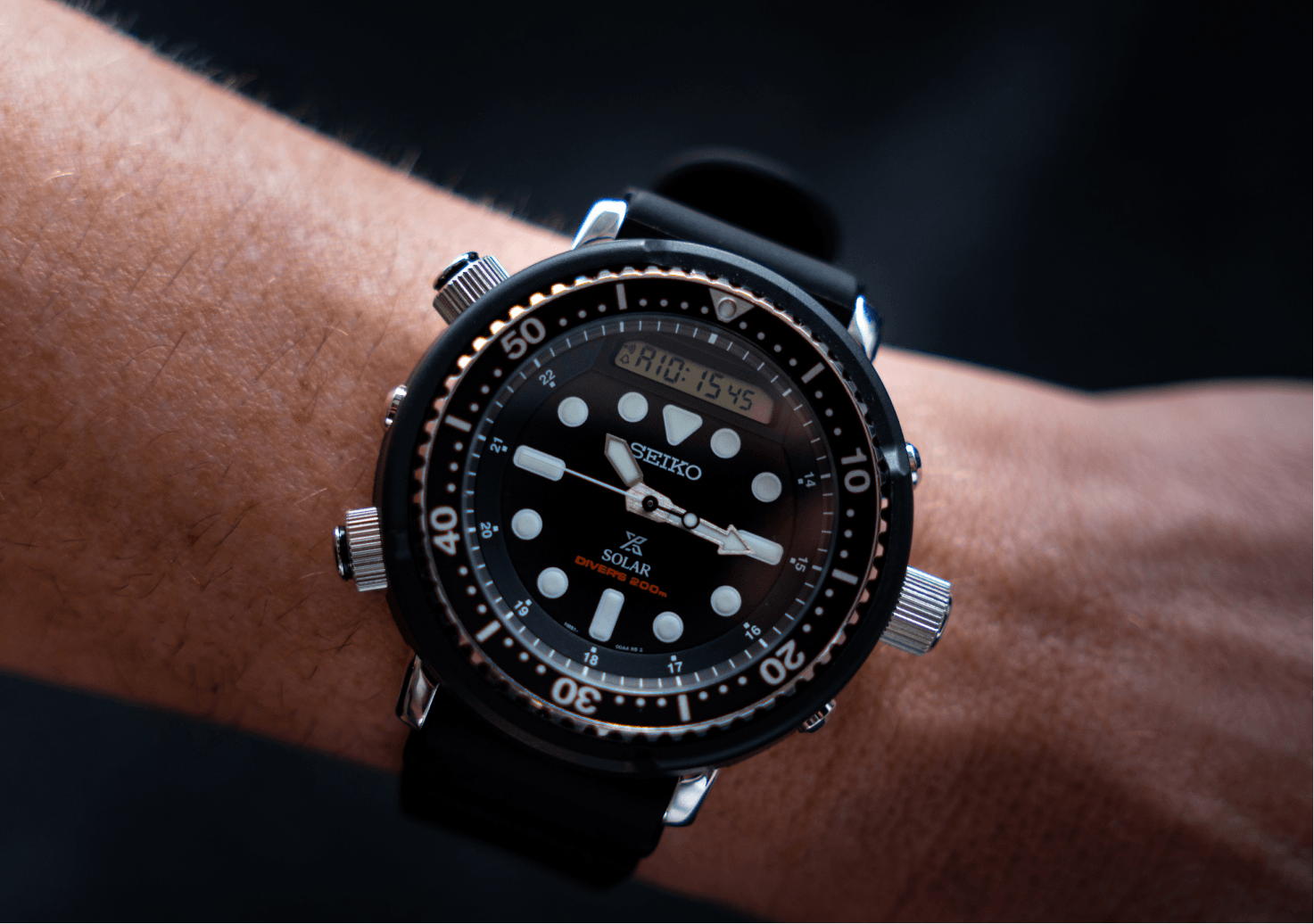


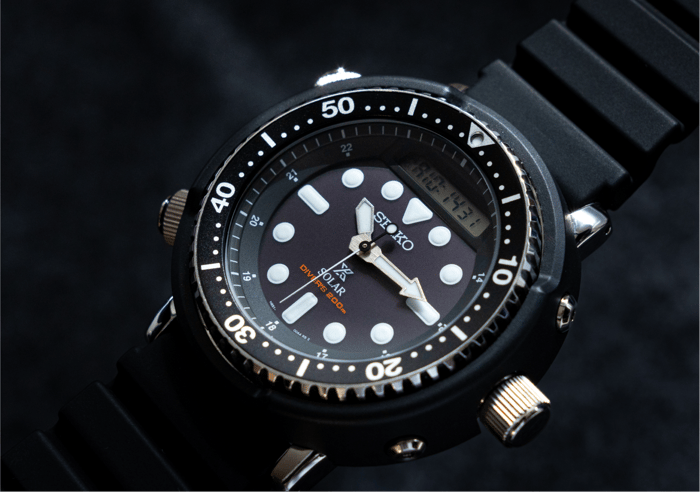

The Seiko Prospex SNJ025P, better known as the “Arnie”, is one of those watches that is hard to mistake for anything else.
Big case, blacked-out tool-watch styling, analogue hands and a digital display. It has plenty going on, which also means setting the time can look slightly intimidating the first time you do it.
Thankfully, it is actually pretty simple.
The SNJ025P uses Seiko’s H851 solar analogue-digital movement, with the digital and analogue time linked together. Once you set the digital time correctly, the analogue hands automatically move into position for you.
How To Set The Time On Your Seiko Arnie
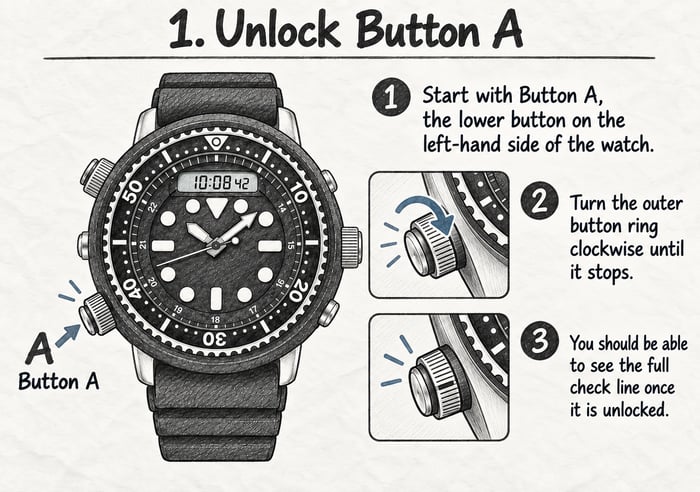
1. Unlock Button A
Start with Button A, which is the lower button on the left-hand side of the watch.
Turn the outer button ring clockwise until it stops. You should be able to see the full check line once it is unlocked.
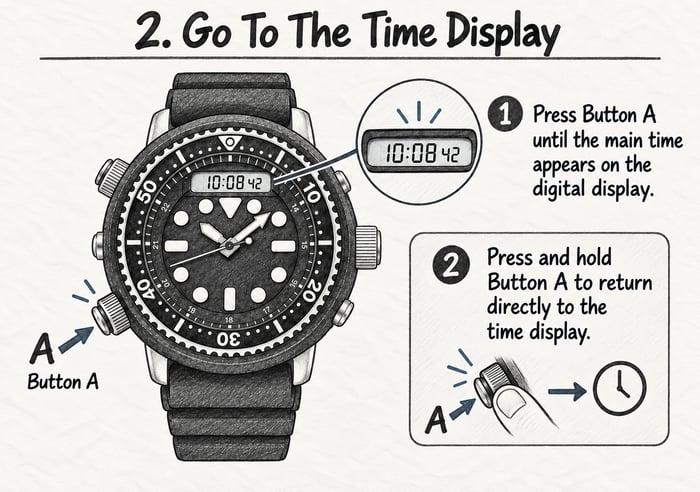
2. Go To The Time Display
Press Button A until the main time appears on the digital display.
You can also press and hold Button A to return directly to the time display.
3. Unlock The Crown
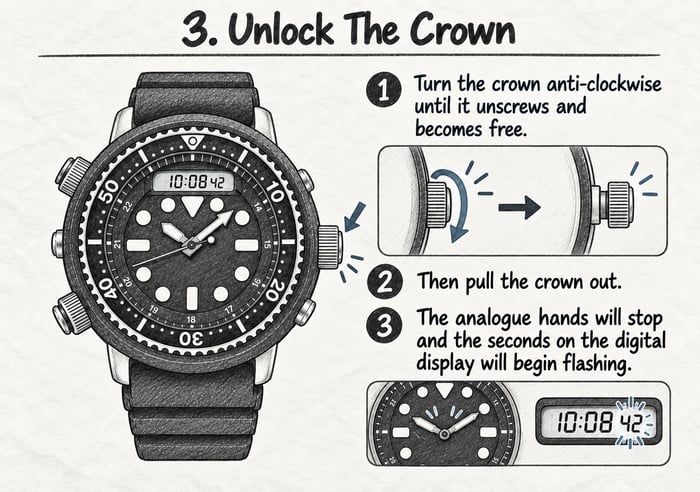
Move over to the screw-down crown.
Turn the crown anti-clockwise until it unscrews and becomes free. Then pull the crown out.
The analogue hands will stop and the seconds on the digital display will begin flashing.
4. Choose What You Want To Change
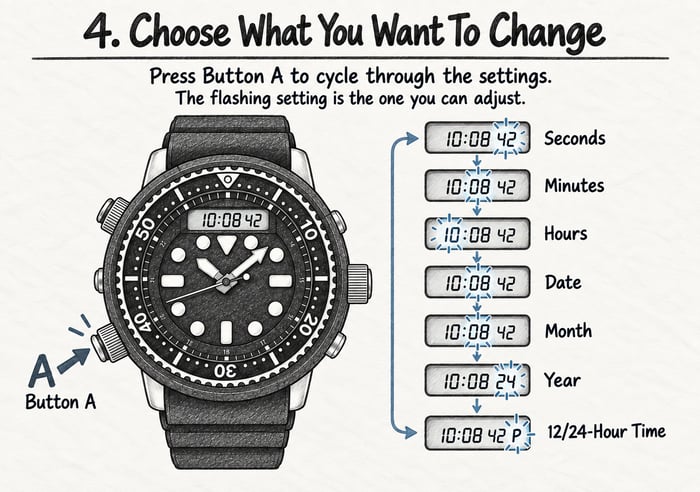
Press Button A to cycle through the different settings:
Seconds → Minutes → Hours → Date → Month → Year → 12/24-Hour Time
The setting currently flashing is the one you can adjust.
5. Adjust The Time
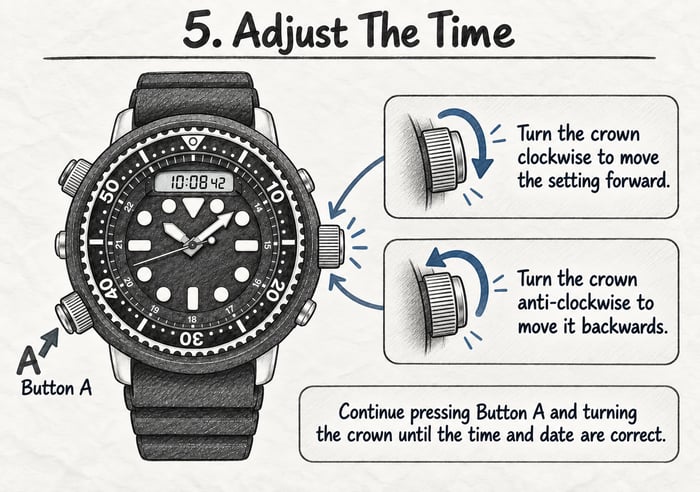
Turn the crown:
Clockwise to move the setting forward.
Anti-clockwise to move it backwards.
Continue pressing Button A and turning the crown until the time and date are correct.
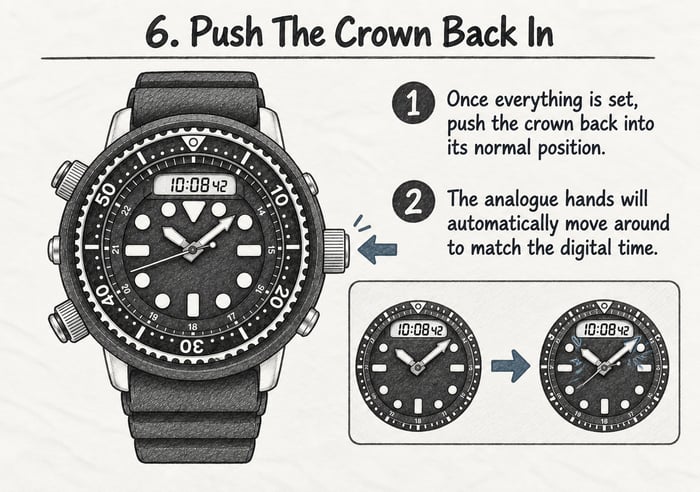
6. Push The Crown Back In
Once everything is set, push the crown back into its normal position.
The analogue hands will automatically move around to match the digital time.
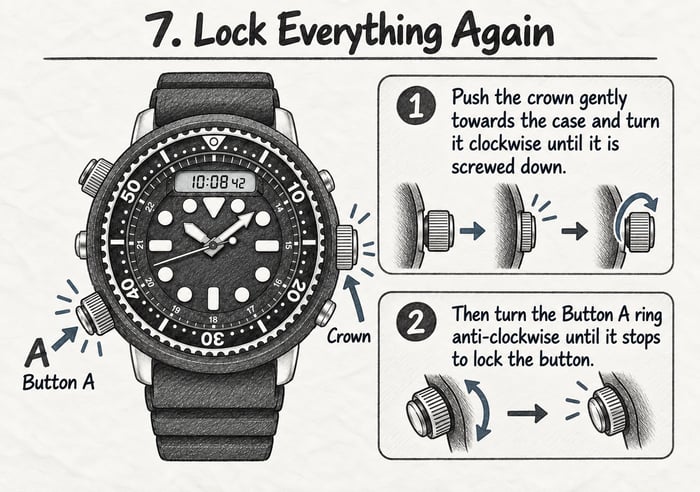
7. Lock Everything Again
Finally, secure the watch again.
Push the crown gently towards the case and turn it clockwise until it is screwed down.
Then turn the Button A ring anti-clockwise until it stops to lock the button.
And you're done.
A Quick Tip
Don't forget that the screw-down crown and locking button are part of what helps make the Arnie such a capable tool watch.
The SNJ025P is rated to 200 metres water resistance and features a screw-down crown, unidirectional bezel, Hardlex crystal and Seiko's solar-powered H851 movement.
So once you've finished changing the time, always make sure the crown and button are properly locked again.
The Seiko “Arnie”
There is a reason this watch has such a following.
The SNJ025P takes the unmistakable analogue-digital design associated with the original Seiko “Arnie” and combines it with modern solar power, serious dive-watch functionality and that huge 47.8mm case.
It looks complicated.
Setting it isn't.
Once you've done it once, you'll probably never need these instructions again.
Seiko Prospex SNJ025P "Arnie" Hybrid
$629.00
$799.00
Seiko Prospex SNJ025P Black Silicone Mens Watch lovingly called Arnie simply because it is the modern version of the watch which appeared on the arm of one of the biggest action stars in the 80's. - Movement Type Solar -… read more

Frequently Asked Questions
Q. How do I set the time on a Seiko Arnie SNJ025P?
A. Unlock Button A and the screw-down crown, pull the crown out, then use Button A to cycle through the time and date settings. Turn the crown clockwise or anti-clockwise to make your adjustments.
Q. How do I unlock the crown on the Seiko SNJ025P?
A. Turn the screw-down crown anti-clockwise until it becomes free. You can then pull the crown out to access the time-setting mode.
Q. Do the analogue hands need to be set separately?
A. No. Once you finish setting the digital time and push the crown back in, the analogue hands automatically move to match the digital time.
Q. How do I switch between 12-hour and 24-hour time?
A. While setting the watch, press Button A until the 12/24-hour option flashes. Turn the crown to select your preferred format.
Q. Why are the hands on my Seiko Arnie moving after I set the time?
A. This is normal. The analogue hands automatically reposition themselves to match the digital time once you finish making your adjustments.
Q. Do I need to screw the crown back down after changing the time?
A. Yes. Always screw the crown back down securely after setting the watch. This helps maintain the watch’s water resistance.
Q. Is the Seiko SNJ025P solar powered?
A. Yes. The SNJ025P uses Seiko’s H851 solar movement, which is powered by light and does not require regular battery replacements.
Q. Is the Seiko Arnie SNJ025P waterproof?
A. The SNJ025P is rated to 200 metres water resistance and is designed as a professional-style dive watch. Always ensure the crown and locking buttons are secured before exposing the watch to water.